If you have products configured in a High Availability configuration e.g. Active/Passive pair you have the option to configure HA Groups.
HA Groups are important for telemetry health monitoring and notifications. An example scenario is if you have an Active/Passive product configuration where the Active node consistently sends data to a local collector, however the Passive node sends intermittent data. In this scenario the Active node status would be reported as OK, however the Passive node status may appear as Critical despite there not being a telemetry ingestion problem.
HA Group telemetry monitoring is handled based on the ‘best’ state of all members e.g in the scenario above if a HA Group has two members and one member has an OK status, and the second member has Critical status the overall group state will be considered OK.
Create HA Group
- Click Telemetry and select Integrations from the main menu
- Click
 (more options) at the top right of the table and select Create HA Group
 - A Create HA Group window will be displayed
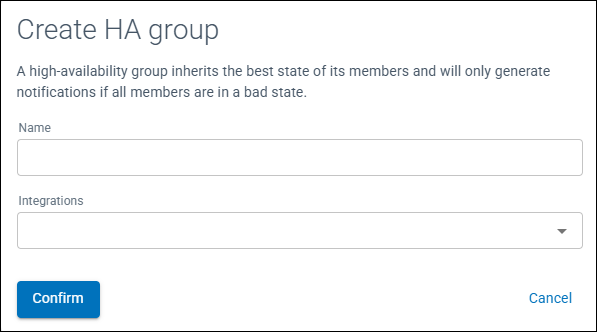
Figure 1: Create HA Group window
- Enter a Name for the HA Group
- From the drop down menu select the integrations to be members of the HA Group
- Click Confirm
Within the Integrations table, the field type HA Group will be displayed with the number of members highlighted.
Edit a HA Group
- Click Telemetry and select Integrations from the main menu
- Click on (more options) to the left of the HA Group and select Edit HA Group
- Add or remove the group members required
- Click Confirm
Delete HA Group
- Click Telemetry and select Integrations from the main menu
- Click on (more options) to the left of the HA Group and select Delete HA Group
- A confirmation window will be displayed, Click Confirm
The HA Group will be deleted and integrations listed within the table.